
iPhone + Apple Watch · A tennis journal

The days you played, light up

Terava is a tennis journal for people who take the game seriously. Wear your Apple Watch on court: how long you played, how many swings, forehands versus backhands. By the time you're home, it's already logged.

Download on the App Store Free download · Plus optional
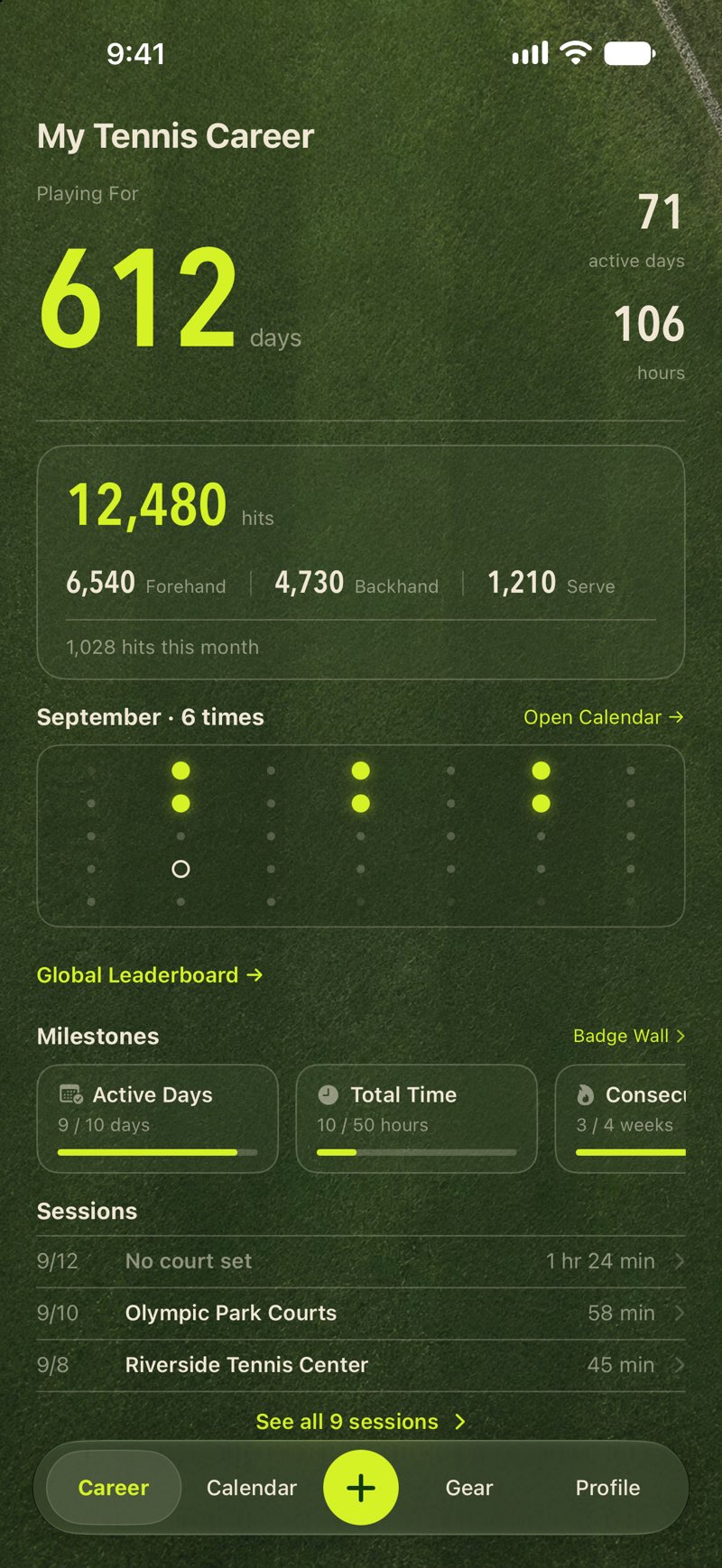
Career home: years playing, active days, hours and shots
Tennis calendar: every day you played is a glowing ball
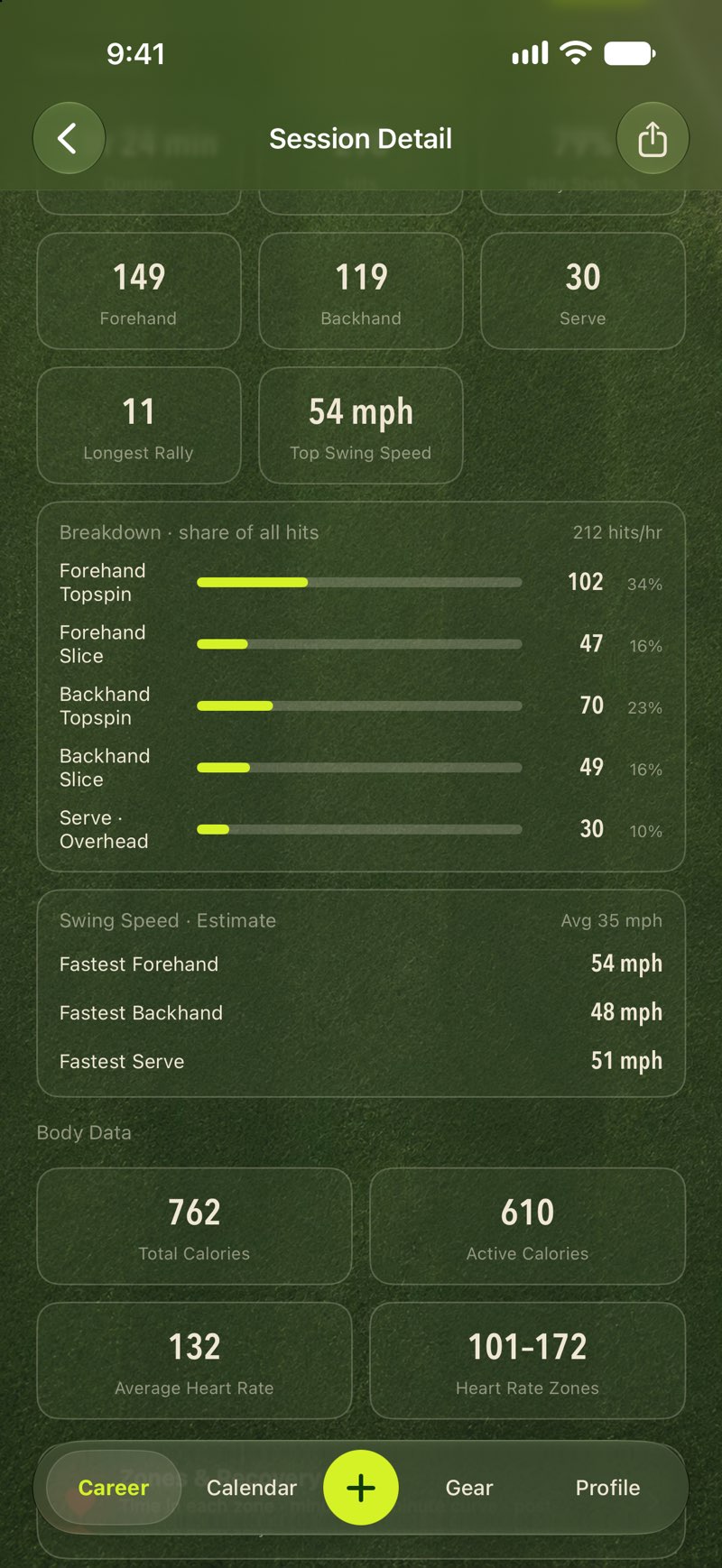
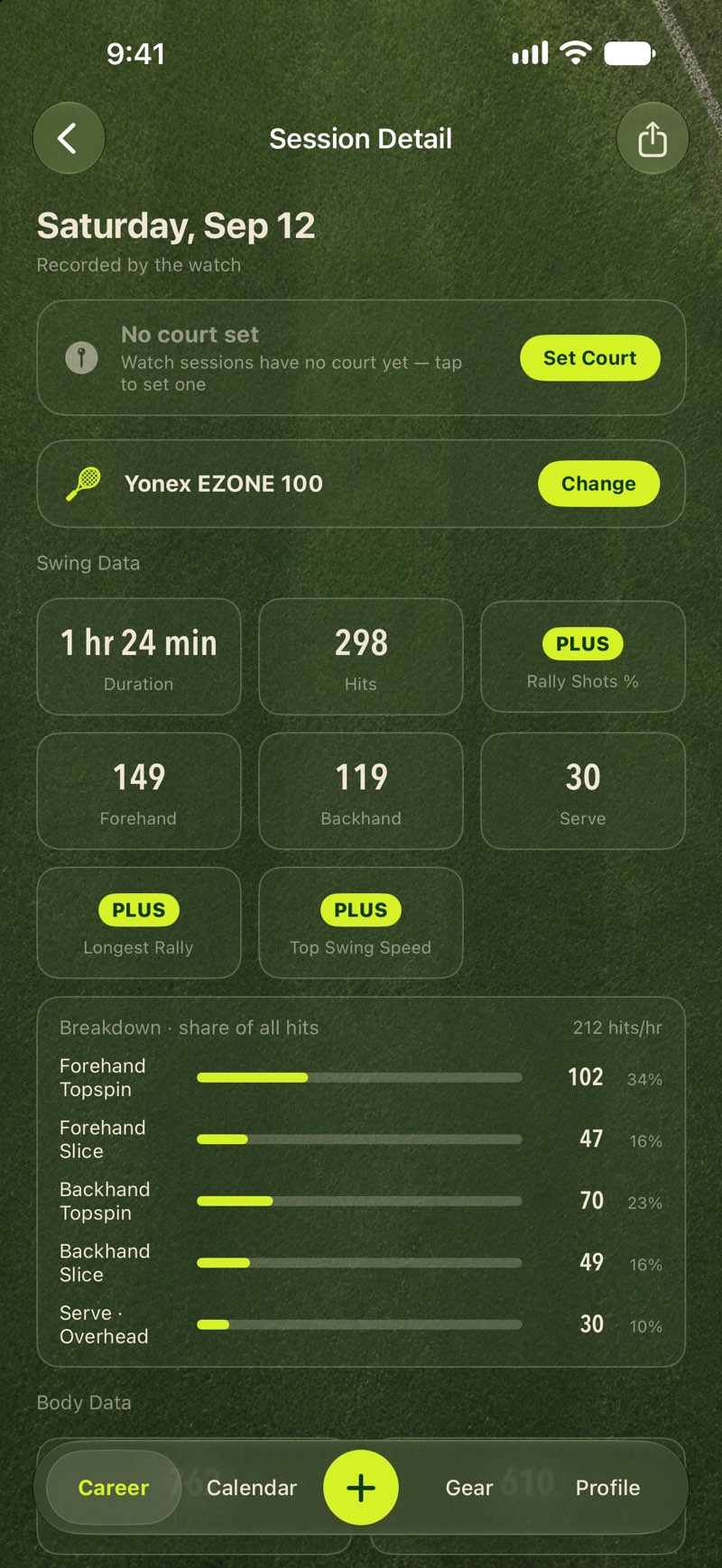
Session detail: forehand, backhand, topspin, slice, serves

Three things Terava does well

01 · Effortless logging

Play with your watch on. It's logged by the time you're home.

Sessions sync from the watch on their own: no opening the app, no manual entry. Each one becomes a glowing ball on your calendar and another hour in your career.

  • Tennis calendarEvery day you played is a glowing ball. The longer you played, the bigger it gets.
  • Career homeYears playing, active days, total hours and total shots, at a glance.
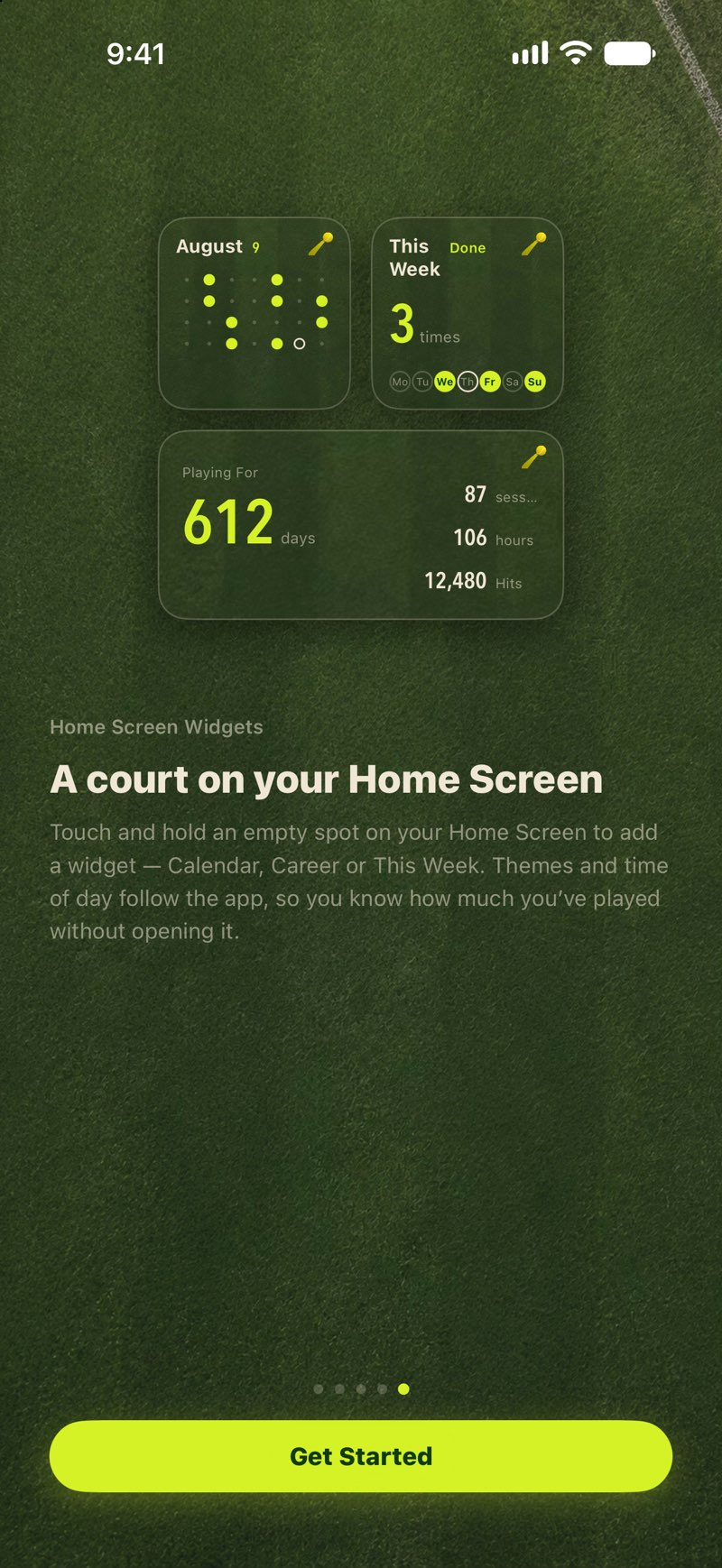
  • Home-screen widgetsCalendar, career and this week, in the same theme as the app. A court on your home screen.
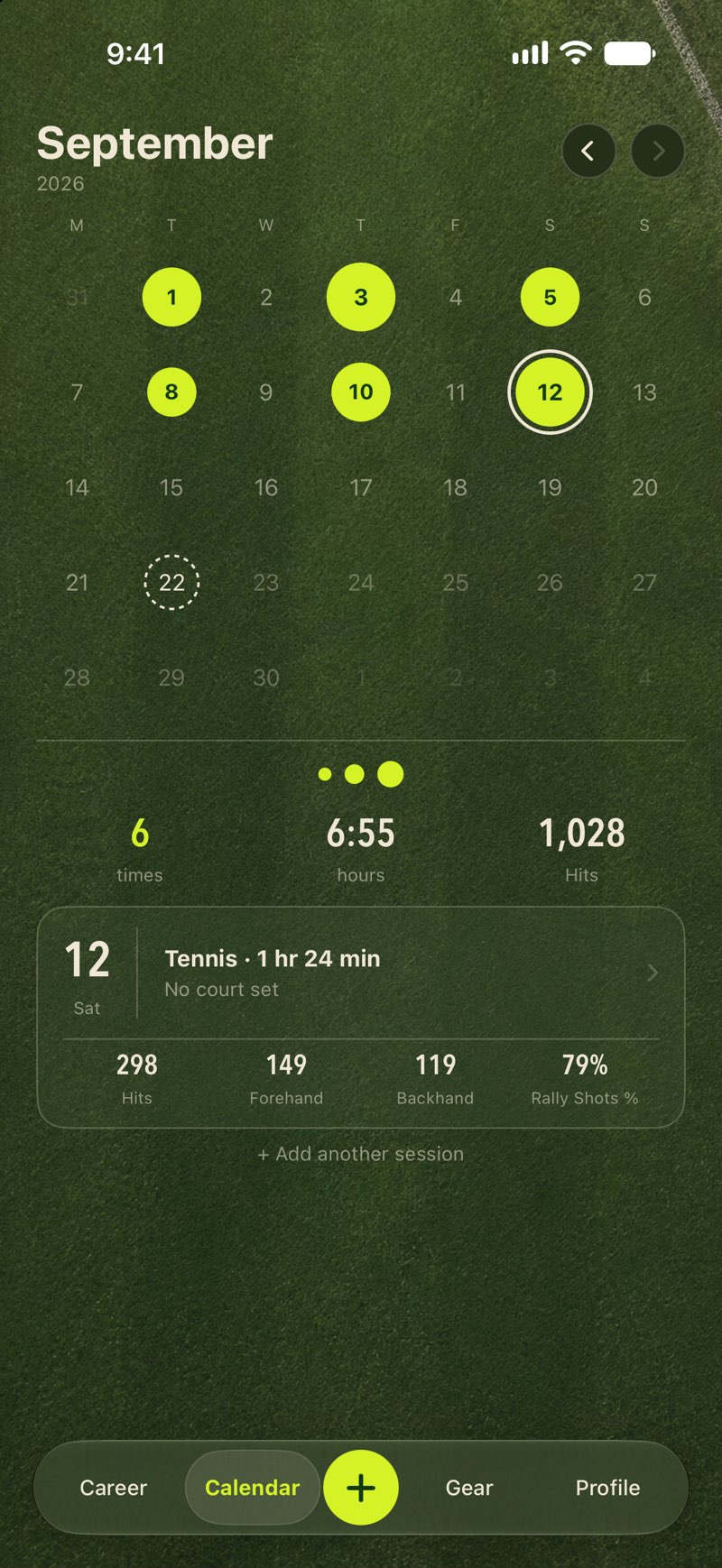
Tennis calendar
Career home
Home-screen widgets

02 · Swing analysis

Recorded on the watch, understood on the phone

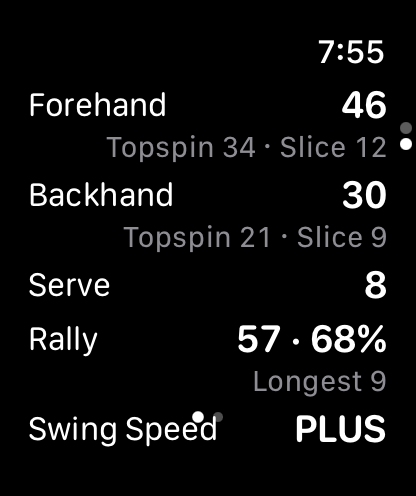
Terava recognizes every swing on Apple Watch: forehand or backhand, topspin or slice, serves and overheads. Back on the phone, the session becomes numbers you can actually read.

  • Stroke breakdownForehand topspin, forehand slice, backhand topspin, backhand slice, serves and overheads.
  • RalliesRally count, rally rate and your longest rally, tracked live during the session.
  • Swing speedRacket-head speed estimated swing by swing, split by forehand, backhand and serve. Plus · estimate
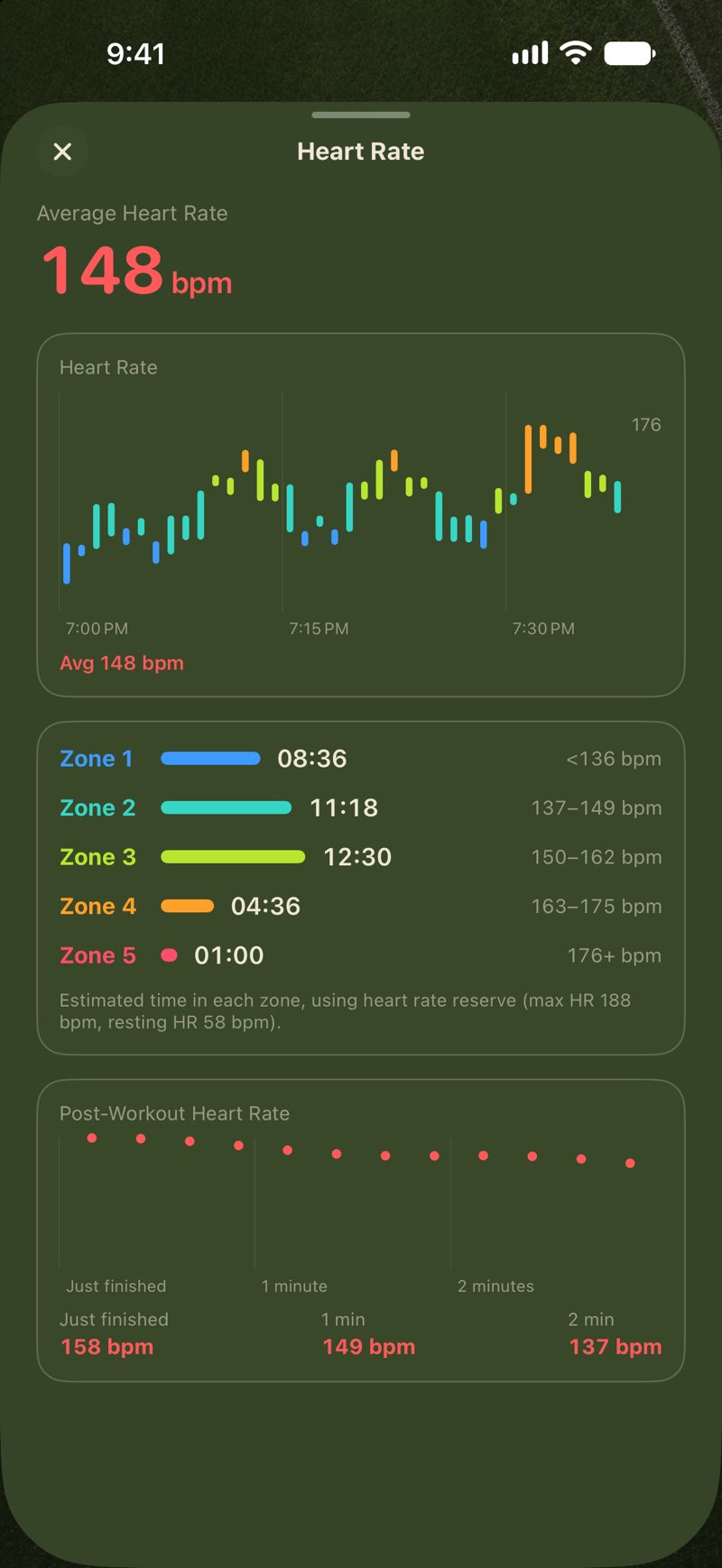
  • Heart rateA minute-by-minute curve, time in five heart-rate zones, and three-minute recovery.
Session detail: swing data
Swing speed panel
Heart rate detail

03 · Racket advice

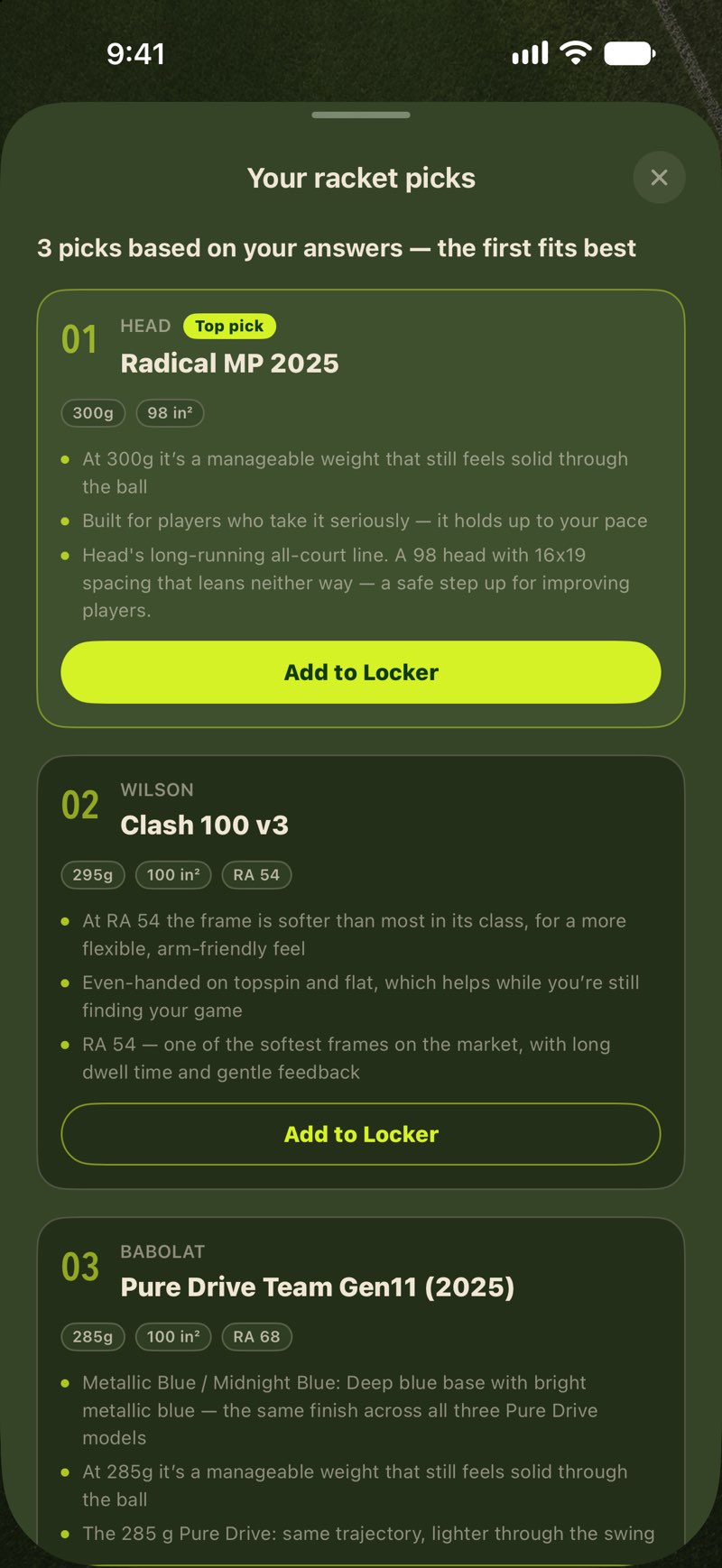
Not sure which racket? Answer 8 questions.

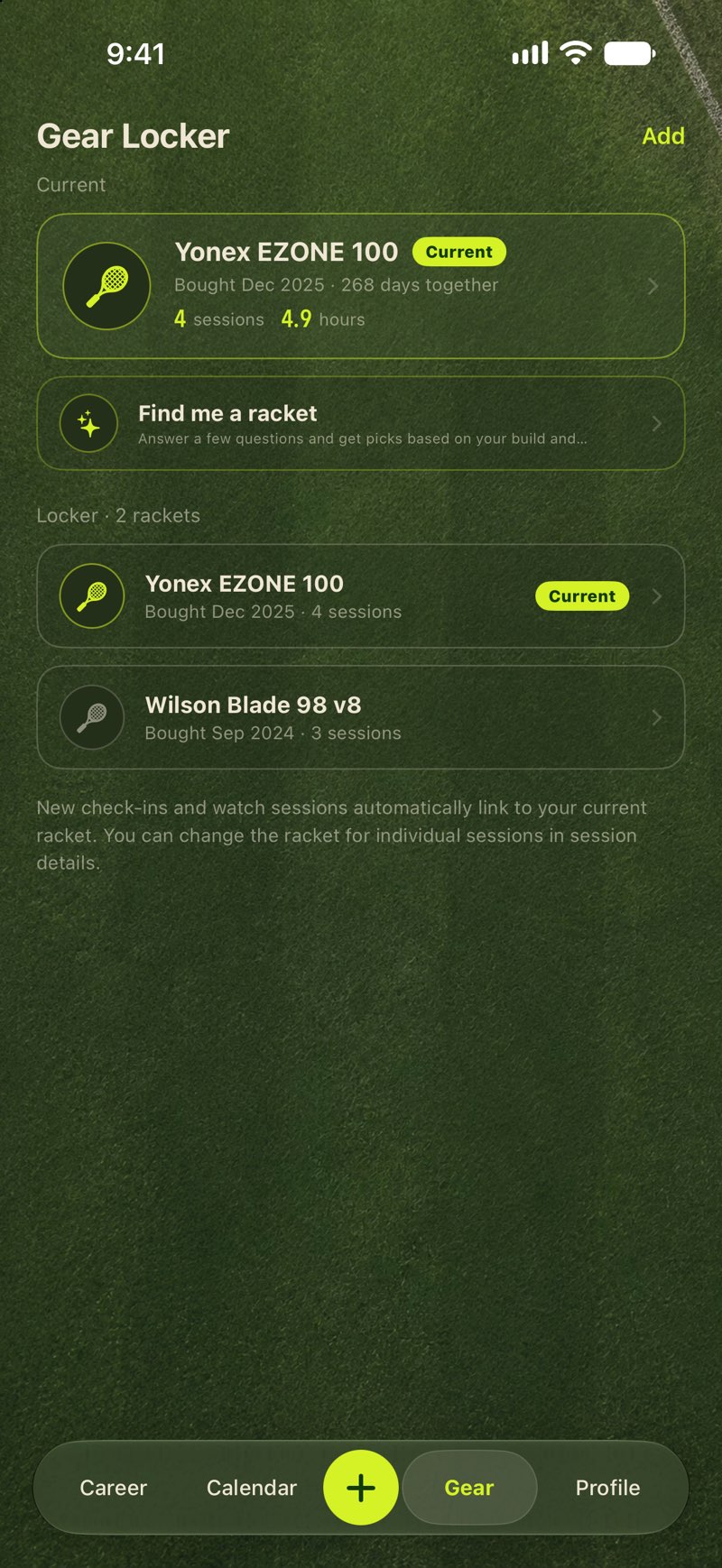
Based on your height and weight, level, commitment and playing style, Terava suggests three candidates and explains each pick. Once you own one, it's linked to every session you play.

  • Racket advisor8 questions, 3 candidates with reasons. Currently covers performance rackets from about ¥1,600.
  • Gear lockerHow many days, sessions and hours each racket has been with you, counted automatically.
  • Racket library170 popular models built in, with string, gauge and tension suggestions for the common ones.
Racket advisor results
Gear locker

And more

Everything about playing, in one place

  • Check-in

    No watch today? Search a court or pick a spot on the map. Nearby courts you visit often are matched automatically.

  • Health import

    Matches from before you installed the app still count. Import existing tennis workouts from Health, de-duplicated, so your history starts on the day you actually started.

  • Milestones

    Active days, sessions, total hours, courts explored and more. Badges light up when you get there, dated to the day it happened.

  • Court themes

    Grass, clay, green and blue hard courts, each with or without lines, under three lighting conditions. Plus

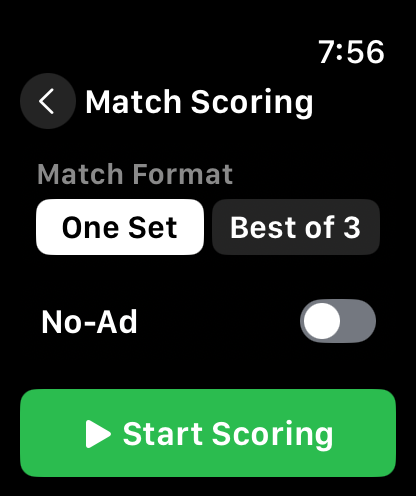
  • Match scoring

    An optional tool on the watch: one set or best of three, advantage or no-ad. Not scoring never affects the recording.

  • Writes to Health

    Heart rate and calories from the watch go into the Health app just like a system workout, alongside everything else you do.

  • iCloud sync

    Works fully without an account. Sessions sync between your own devices through your iCloud, so nothing is lost on a new phone.

  • Share card

    After a session, generate a card with your swing numbers to send to your hitting partners.

Apple Watch

Put it on and start

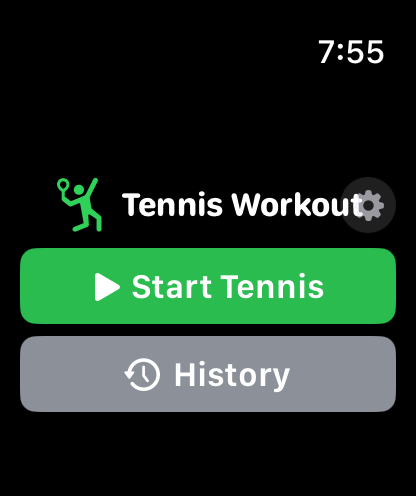
One tap starts a tennis workout with continuous timing that never resets between games or sets. Swing recognition, rally stats and heart rate all run on the watch. When you finish, the phone already has it.

  • Start a tennis workout
    Start a tennis workout
  • Stroke stats
    Stroke stats
  • Match scoring tool
    Match scoring tool
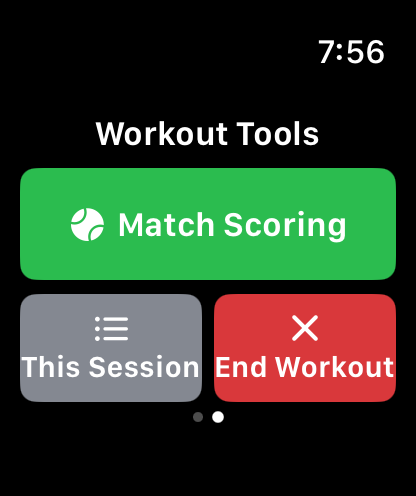
  • Workout tools
    Workout tools

An Apple Watch is required for automatic swing and heart-rate recording. iPhone alone still gives you manual check-ins, the calendar, the gear locker and career stats.

Your data

The sessions are yours. So is your heart rate.

Privacy Policy →
  • Every recording feature works without an account.
  • Signed out, sessions stay on your device and sync between your own devices through your iCloud.
  • Signed in, sessions also sync to Terava's server so you can restore them on a new phone.
  • Heart rate and calories are never uploaded. They stay in the Health app.
  • No third-party SDKs, no ads, no cross-app tracking.

FAQ

Things people ask

More in the support center →
Do I need an account?

No. Scoring, session recording, the check-in calendar, the gear locker and the racket advisor all work fully without signing in. An account only adds two things: appearing on the leaderboard, and syncing your history to the cloud so you can restore it on a new device.

Can I use it without an Apple Watch?

Yes. The watch records automatically (duration, swing count, forehand/backhand split, heart rate). Without one, you can check in manually on iPhone, or import existing tennis workouts from the Health app.

What about matches I played before installing the app?

They count. Use Import from Health: it finds tennis workouts already in the Health app and de-duplicates them, so your playing history starts from the day you actually started.

Will I lose data when I switch phones?

No. Without an account, data syncs across your own devices through Apple's iCloud, in a private database under your Apple Account that we cannot read. With a Terava account, your history is also synced to our server and restored when you sign in on the new device.

Where do heart rate and calories go?

They stay in your Health app and are read live by the session detail screen. Neither is written to iCloud, and neither is uploaded to our server. That is deliberate, not an oversight.

How do I cancel Plus or get a refund?

Both are handled by Apple: cancel under Settings → Apple Account → Subscriptions on your iPhone, and request a refund at reportaproblem.apple.com. A new phone doesn't need a new purchase; tap Restore Purchases on the Plus screen.

Download

Bring Terava to your next session

Free to download, and every recording feature works without an account. Plus is available as a yearly subscription or a one-time purchase.

Download on the App Store
Scan with your iPhone to open the App Store

Requires iOS 18.0 or later · Apple Watch optional · English and Simplified Chinese